Most Copilot rollouts do not fail loudly. Nobody stands up in a meeting and says it was a mistake. The licences get bought, the launch email goes out, a few people post something clever they made it write, and then over the following months the usage quietly drains away until the renewal arrives and somebody in finance asks what exactly the organization has been paying for.
The organizations that get real value out of Copilot are not the ones with the biggest training budget or the most licences. They are the ones that treated it as a change in how people do their work, picked the work first, and kept paying attention after launch week. This is what that looks like in practice, and how to tell honestly whether it is working.
What adoption actually means
Start with the number most people look at, because it flatters you. The Copilot usage report in the Microsoft 365 admin center shows enabled users, active users and an active users rate. It is a useful report, but it helps to know how low the bar for “active” is. Microsoft counts a person as active if they took one intentional Copilot action, such as submitting a prompt, at any point in the period you selected. Somebody who tried it once in the last 28 days and never came back is active.
So an active users rate that looks healthy can sit on top of a rollout that is fading. The same report has the columns that tell the truth: active days and prompts per person, and a last activity date for each app. One practical note: usage reports hide names by default, so the per person table shows anonymised identifiers until an admin turns off concealed names in the Reports setting under Org settings in the admin center. Decide internally who should see that view before you switch it on.
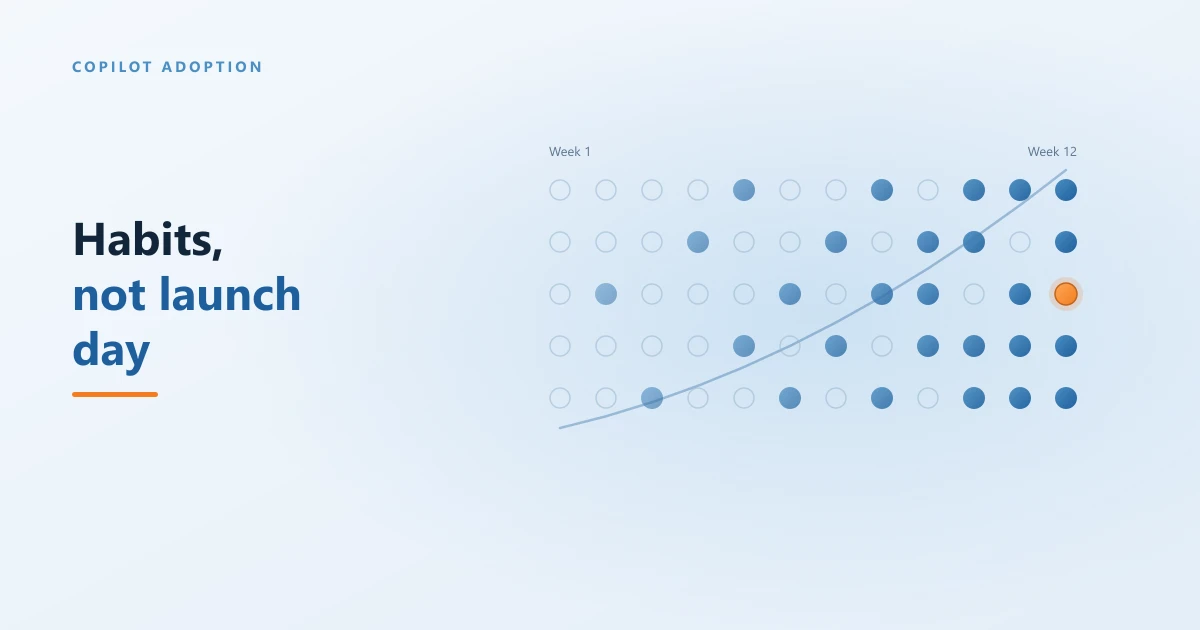
A better working definition of adoption is this: a person uses Copilot on most of the days they work, for a few tasks they could name without thinking, and they would notice if it disappeared. That is a habit. Everything below is about building it.
Why rollouts stall
When we look at a rollout that has gone quiet, the cause is almost always one of four things, and often all four at once.
- Licences were handed out by seniority rather than by work. Leadership gets the first seats, which makes sense politically and very little sense practically. The people who benefit most are the ones whose days are full of email threads, meetings, documents and spreadsheets, and they are rarely the first in line.
- People were shown features, not tasks. A demo that asks Copilot to write a poem about the company picnic is entertaining and teaches nobody anything about their Tuesday. If a person cannot connect Copilot to something they already do every week, they will not open it again.
- The first answers were wrong. Copilot works from your SharePoint, OneDrive, Teams and mailbox content. If that content is full of outdated drafts and five versions of the same policy, the first answers people get will be confidently out of date, and trust is very hard to win back once it has gone.
- Nobody owned it after launch week. The project team moved on, IT went back to tickets, and the people who were stuck had nobody to ask. Adoption needs an owner for months, not days.
What successful rollouts do differently
None of what follows is complicated. It is mostly a matter of doing it deliberately rather than hoping it happens on its own.
The rollouts that hold up run the same four steps every quarter, and the last step feeds the first.
Start with the work, not the org chart
Pick your first group by asking where the drudgery is. Who spends their morning catching up on threads they were copied into? Who sits in back to back meetings and then writes up the notes? Who builds the same monthly report from three spreadsheets? Those are the people Copilot helps on day one, and their results are the ones that persuade everybody else.
Microsoft gives you some help here. The Copilot readiness report in the Microsoft 365 admin center looks at how heavily people already use Teams, Outlook and the Office apps, which is a reasonable proxy for who has the most for Copilot to work with. Treat it as a starting list, then sanity check it with the managers who know what those people actually do all day.
Give every group three tasks, not thirty features
For each group in the rollout, agree on three tasks from their actual job that Copilot can help with, and teach those. Not a tour of every button. A finance team might start with summarising a long approval thread, explaining a variance in an Excel workbook, and drafting the month end commentary. An operations team might start with meeting recaps, turning notes into a task list, and finding the latest version of a procedure. Three things done every week beat thirty things seen once.
If you need a head start, Microsoft's Copilot Scenario Library on its adoption site organizes example scenarios by role and by business task. It is a good place to borrow ideas, as long as you then rewrite them in the language your own people use.
Fix the content before the first impression
Copilot can only be as accurate as the files and messages it draws on, and it can only see what each person already has permission to open. Both of those deserve attention before the first group gets their licences, not after. Clearing out stale duplicates in the sites your pilot group relies on does more for trust than any training session, and checking who can see what avoids the uncomfortable moment when Copilot cheerfully summarises a file somebody should never have had access to. Our Copilot data readiness checklist walks through where to look first.
Recruit champions who are peers, not IT
The most effective adoption channel in any organization is a colleague leaning over and saying “try this, it saved me an hour”. Formalise that. Ask one person in each team to be the Copilot champion, give them a little extra time and a direct line to whoever is supporting the rollout, and ask them to share one prompt that worked each week. It should be somebody who does the same job as the people around them, because a tip from a peer carries a credibility that a tip from IT does not.
Microsoft's Copilot Success Kit includes an adoption planning checklist and ready made templates for engaging users, and it is free.
Have managers use it first, and in public
People copy what their manager does, not what the launch email says. A manager who opens the Copilot recap at the start of the weekly meeting, or drafts the team update with it and says so, gives everybody permission to do the same. A manager who never mentions it quietly signals that it is optional, and optional tools lose to deadlines every time.
Use Copilot Chat as the on ramp for everyone else
You do not need a paid licence for every person to start building the habit. Microsoft 365 Copilot Chat is included with most Microsoft 365 business plans at no extra cost, so everybody outside the first group can start using it today, with commercial data protection, on files they upload themselves. As our Copilot licensing guide explains, what Chat cannot do is reach into your own mail, meetings and SharePoint. That gap is exactly what makes it a good test. The people who lean on Copilot Chat every day and keep running into that wall are your best candidates for the next round of paid licences.
Measuring it honestly
You have two free places to look, and between them they answer most of the questions worth asking.
The admin center usage report is the quick weekly glance. Ignore the headline rate and look at active days per person and at the last activity date. A person whose last activity was six weeks ago is not adopting, whatever the summary says. The report also includes an option to send organizational messages, short in product nudges, to people who have a licence and are not using it, which is a gentle way to restart someone who stalled.
The Copilot Dashboard in Viva Insights is the deeper view, and it is more accessible than most people assume. Microsoft makes it available to any organization with a Microsoft 365 business or enterprise subscription, and you do not need a paid Viva Insights licence or even a Copilot licence to view it. It covers four areas: readiness, adoption, impact and sentiment, based on the previous 28 days with a delay of up to six days. Once a tenant has at least one Copilot licence, it also shows how people without a paid licence are using Copilot Chat, which is the data you need for the on ramp approach above. Some features, including benchmarks, survey based sentiment and manager level group views, only switch on once you have at least 50 Copilot licences.
One caution about the impact page. It shows a figure for Copilot assisted hours and converts it into a dollar value. Microsoft is clear that the hours are an estimate, calculated by applying multipliers from its own research to your usage data, and the dollar value uses a default hourly rate of $72 drawn from United States labour statistics. Change that rate and currency in the settings to match your own organization, and then treat the result as a direction of travel rather than money you can point to on the balance sheet.
The best measure of all costs nothing and needs no dashboard. Ask people what they stopped doing. “I no longer write up meeting notes” or “I stopped rebuilding that report by hand” is adoption you can believe.
The 90 day review: move licences, do not just renew them
At the end of each quarter, sit down with the usage report and the champions and make decisions. A Copilot Business seat lists at CAD $28.50 per user per month on an annual term, which is real money to leave sitting unused. On an annual commitment you generally cannot reduce the seat count until renewal, but you can move a licence from one person to another whenever you like.
So use that. Talk to the people with little or no activity first, because sometimes the problem is fixable: they never got shown a task, or the content they rely on is a mess. If it is not fixable, or the job simply does not give Copilot much to do, move the seat to somebody from the Copilot Chat group who has been asking for one. Then pick their three tasks, and run the loop again. Our breakdown of what Copilot actually costs covers the full licensing picture if you are planning the renewal itself.
A practical adoption checklist
- Choose the first group by workload. Email, meetings, documents and spreadsheets, not seniority.
- Agree three real tasks per group. Written in their language, taught on their own files.
- Clean the content the pilot relies on. Remove stale duplicates and check permissions before licences go out.
- Name a champion in every team. A peer who shares one working prompt a week.
- Ask managers to use it visibly. In the weekly meeting, in the team update, out loud.
- Put everyone else on Copilot Chat. Watch who uses it most; that is your next licence list.
- Read active days, not active users. Check the admin center report weekly and the Copilot Dashboard monthly.
- Review every 90 days and move seats. Unused licences go to the people asking for them.
How Regroove helps
Adoption is the part of a Copilot project that most organizations underestimate, and it is the part our Microsoft 365 coaching and enablement service exists for. We work with your teams on their own tasks rather than running generic sessions, help you set up and support a champion network, and sit down with you at each quarterly review to decide where the licences should go next. When the work starts on the technical side, our AI integration and Copilot services cover deployment and agents, and our Copilot governance work makes sure what Copilot can see is what it should see.
The short version
Copilot adoption is a habit problem, not a training problem. Give the first licences to the people with the most email, meetings and documents, teach each group three real tasks, clean up the content they depend on, and give them a peer to ask. Measure active days rather than active users, treat the assisted hours figure as an estimate, and every 90 days move the licences nobody is using to the people who are asking for them. Then do it again.
Frequently asked questions
How long does it take for Copilot adoption to settle?
Plan on about three months before you judge it. The first few weeks are curiosity, and curiosity always looks like adoption in the reports. What you actually want to know is who is still using it on most working days once the novelty has worn off, and that only becomes visible somewhere around the end of the first quarter. Review at 90 days, move licences based on what you see, and review again.
Should we give Copilot to everyone at once?
Usually not. A licence for everyone feels fair, but it spreads your support effort across the whole organization at the moment it matters most, and it puts seats in front of people whose work gives Copilot very little to do. Start with the roles that spend their day in email, meetings and documents, get them using it properly, and let everyone else start on Copilot Chat, which most Microsoft 365 business plans already include at no extra cost.
Do we need a Viva Insights licence to see the Copilot Dashboard?
No. Microsoft makes the Copilot Dashboard in Viva Insights available to any organization with a Microsoft 365 business or enterprise subscription, and neither a paid Viva Insights licence nor a Copilot licence is needed to view it. What changes with size is depth: once a tenant has at least 50 Copilot licences, the dashboard adds benchmarks, survey based sentiment, trend lines and group level views for managers. Below that you still get the readiness, adoption and impact pages.
What does good Copilot usage actually look like?
It looks boring. Somebody uses it on most of the days they work, for a small number of tasks they could name without thinking, and they would complain if it disappeared. That is a far better signal than a high prompt count, which can come from one enthusiastic afternoon. In the admin center usage report, look at active days and last activity date per person rather than the headline active users rate.
Is a training session enough to get people using Copilot?
On its own, almost never. A single session shows people what Copilot can do, and most of them leave impressed and then go back to doing their work exactly the way they did it before. Habits change when somebody sits with a person on their own task, when a colleague shares a prompt that saved them an hour, and when their manager visibly uses it in the weekly meeting. Training starts adoption. It does not finish it.
What should we do with Copilot licences nobody is using?
Move them. On an annual term you usually cannot reduce the seat count until the renewal date, but you can reassign a licence from one person to another at any time. Take the seats from people with no activity in the last month or two, after a quick conversation to check nothing is blocking them, and give them to the people who have been asking for one. Unused seats are the cheapest win in the whole rollout.
If your Copilot rollout has gone quieter than you hoped, or you are about to start one and want to get it right the first time, get in touch and we will look at your usage with you.
 Author: Helio Pereira