Most organizations that buy Microsoft 365 from GoDaddy do it for a completely sensible reason. The domain was already there, the offer appeared at the right moment, the price looked good and somebody needed email working by Friday. Nobody sat in a boardroom and chose a licensing strategy. It was a convenience purchase, and at the time it was the right one.
The problem is what that convenience quietly turned into. Three or four years on, the same organization is paying more per person than it would pay Microsoft directly, cannot buy half the products it now needs, cannot answer basic questions on its cyber insurance renewal, and discovers that the person who owns the keys to its identity system is a domain registrar. This guide is written for the people who sign off on that spend rather than the people who administer it. It covers what you actually bought, what it is costing you in money and in options, and what it takes to put the tenant back under your own control.
What you actually bought
When you purchase Microsoft 365 from GoDaddy alongside your domain, GoDaddy creates a genuine Microsoft 365 tenant for you. That part is real. Your mailboxes really do live in Microsoft data centres, your files really are in SharePoint and OneDrive, and your licences really are Microsoft licences.
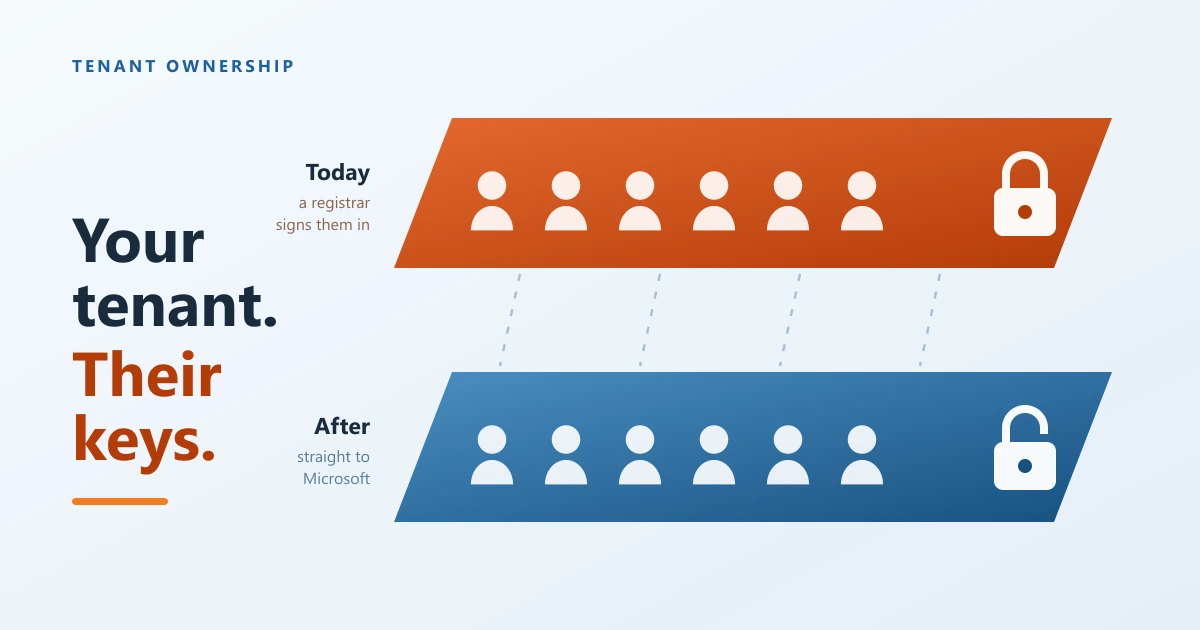
What GoDaddy also does, on every tenant it provisions, is federate your domain to its own sign in service. In plain terms, it tells Microsoft that GoDaddy is the authority on who your people are. Every time a member of your staff signs in, the request is handed to GoDaddy to answer. That single setting is what separates a GoDaddy tenant from every other Microsoft 365 tenant in the world, and almost everything else in this article follows from it.
The most visible consequence is the console. The Microsoft 365 admin centre is where every other Microsoft customer manages their environment, buys licences, sets security policy and pulls reports. On a GoDaddy tenant, it redirects you to a GoDaddy dashboard that offers a small fraction of those controls. You are not locked out of your own data. You are locked out of the room where the decisions get made about it.
The first cost is the one on the invoice
GoDaddy sells Microsoft plans under its own names. Email Essentials, Email Plus and Business Professional are not Microsoft product names. They are GoDaddy labels applied to services Microsoft already sells under different names at different prices. Business Professional, the plan most Canadian businesses on GoDaddy end up with, is Microsoft 365 Business Standard wearing a different jacket.
The pricing model is built around the renewal. The figure that closes the sale is an introductory rate that applies to the first term. What arrives afterwards is roughly double. In Canada, GoDaddy Business Professional has been advertised near twelve dollars per user per month to start and renews closer to twenty eight. That renewal is not hidden and nobody is being deceived, but it is not the number anyone remembers agreeing to either.
The gap widens as you go down the range rather than up it. On the entry level email plans, where a large share of GoDaddy customers actually sit, independent comparisons put the renewal rate at roughly two and a half times what Microsoft charges for the identical Exchange Online service bought directly. For a team of ten that is well over a thousand dollars a year of pure margin, paid for nothing that lands on anyone's desk.
Look at the chart again though, because the money is not really the story. Business Professional at renewal costs a few dollars less than Microsoft charges for Business Standard. Microsoft folded Copilot into Business Standard in 2026, so that Microsoft price now includes an artificial intelligence assistant for every user, the full administration console and the freedom to add anything else in the catalogue. The GoDaddy price includes none of those. You are paying very close to the premium rate for the standard product with the extras removed. That is the sentence worth taking to a budget meeting.
The second cost is the ceiling you cannot see
Money is recoverable. The harder problem is that a federated tenant puts a hard limit on what your organization is allowed to become, and that limit tends to be discovered at the worst possible moment: during an insurance renewal, a client security questionnaire, or the week after an incident.
Because the Microsoft admin centre is closed to you, you cannot buy what Microsoft sells there. That is not a small catalogue. It includes Microsoft 365 Copilot, which is now the single most requested addition in most organizations. It includes the security tier, meaning device management through Intune, conditional access rules that decide who can sign in from where, identity protection, and the compliance tooling that lets you answer questions about where your data has been. It includes the ability to attach a partner of your choosing to help you run the environment.
Read that list as a board would read it. Six of the nine rows are the controls that appear on a cyber insurance application form and in the security questionnaires that larger clients now send to their suppliers. An organization that cannot enforce device compliance or restrict sign in by location is not merely missing features. It is unable to make a truthful yes answer on documents that its premiums and its contracts depend on.
The third cost is that waiting makes it worse
Every additional year on a federated tenant adds mail, files, Teams history and habits, and each of those raises the cost of any move that does eventually happen. More importantly, the organizations that wait are usually the ones that end up being told they need a full migration to a brand new tenant, which is a project measured in weeks and carries genuine risk of losing history.
That advice is almost always wrong, and it is worth knowing why. You already own a real Microsoft 365 tenant. It does not need to be replaced. It needs one setting changed. The distinction between defederation and migration is the single most valuable thing an executive can understand about this topic, because it is the difference between an evening of work and a quarter of disruption.
What actually happens, and what your people will notice
Defederation switches your domain from federated to managed. Microsoft becomes the authority on your identities again, the admin centre opens, and your organization becomes a normal Microsoft 365 customer able to buy from Microsoft directly or through a partner of its choosing.
Nothing is migrated. Mailboxes stay where they are, email addresses stay the same, calendars, contacts, Teams conversations, SharePoint sites and OneDrive files are all untouched. Mail continues to flow while the change is made.
What your staff experience is a new password and a prompt to sign in again in Outlook and the Office apps. That is the whole of it. A short note the day before, explaining that they will be asked to sign in once and that nothing else is changing, removes most of the questions before they arrive.
There is one item that deserves real attention, and it is the one most often missed when this is attempted without help. If your GoDaddy plan bundled email security, your mail is being routed through a third party filtering service before it reaches Microsoft. Cancel the GoDaddy subscription without redirecting that routing first and inbound mail stops. It is entirely manageable, but it has to be handled deliberately and in the right order.
What you get back
| Before | After |
|---|---|
| A registrar decides who your users are | Microsoft is the authority, and you set the rules |
| A cut down dashboard | The full Microsoft 365 admin centre and reporting |
| Only what GoDaddy resells | Anything Microsoft sells, including Copilot |
| Security controls you cannot switch on | Conditional access, device compliance and threat protection available |
| No partner can be appointed | Any Microsoft partner you choose, or nobody at all |
| A renewal rate you did not agree to | Published Microsoft pricing you can plan against |
How to decide in ten minutes
You do not need a technical assessment to know whether this applies to you. Three questions settle it.
First, sign in to the Microsoft 365 admin centre at admin.microsoft.com with your administrator account. If you land in a GoDaddy dashboard instead, your tenant is federated and everything above applies to you.
Second, look at what you are paying per user per month on the current renewal, not the original order. Compare it against Microsoft's published Canadian price for the equivalent plan. The difference multiplied by your headcount multiplied by twelve is the annual number.
Third, take your most recent cyber insurance application or client security questionnaire and count how many questions you cannot honestly answer yes to because the control is not available to you. In our experience that number is rarely zero, and it is the one that usually decides the matter.
The short version
Buying Microsoft 365 from a domain registrar was a reasonable convenience at the time and has quietly become an expensive constraint. You are paying close to the full Microsoft rate for a version of the product with the valuable parts removed, you cannot buy the security and productivity tooling your insurers and clients now expect, and the company holding the keys to your identity system is not a Microsoft specialist and was never asked to be one.
Fixing it is far less dramatic than most people assume. It is not a migration. Nothing moves, nothing is lost, and mail keeps flowing. One setting changes, your organization becomes a normal Microsoft customer again, and the ceiling disappears. Most organizations we do this for are surprised that the hardest part was deciding to do it.
Our Microsoft 365 team handles this end to end, and our managed services group takes over the running of the tenant afterwards if you would rather not own that yourself.
Frequently asked questions
What does defederating a GoDaddy Microsoft 365 tenant actually mean?
It means changing which company your domain trusts to sign your people in. When GoDaddy sets up Microsoft 365 for you, it points your domain at its own sign in service rather than at Microsoft, which is what keeps you inside the GoDaddy dashboard and out of the Microsoft admin console. Defederation switches that setting from federated to managed, so Microsoft becomes the authority on your identities again. Your tenant, your mailboxes, your files and your domain all stay exactly where they are. Only the lock on the front door changes hands.
Will we lose email or data when we defederate from GoDaddy?
No. This is the single biggest misunderstanding about the process and the reason many organizations put it off for years. Defederation is not a migration. Nothing is copied, nothing is moved and no mailbox is rebuilt. Your Microsoft 365 tenant is already a real Microsoft tenant, sitting in Microsoft data centres, and it stays exactly as it is. Mail continues to flow throughout. The one exception worth planning for is if your GoDaddy plan included a bolt on email filtering product, because that routes your mail through a third party and those settings do need to be moved before the subscription lapses.
Do we have to migrate to a new Microsoft 365 tenant to leave GoDaddy?
Almost never, and you should push back hard on anyone who tells you otherwise. Building a new tenant means moving every mailbox, every SharePoint site, every Teams conversation and every OneDrive, which turns a quiet evening of work into a project measured in weeks with real risk of data loss. The only situations that genuinely call for a rebuild are unusual, such as needing to split one tenant into two or merge into a parent organization. For a normal single company, defederating the tenant you already own is faster, cheaper and considerably safer.
Why can we not buy Microsoft 365 Copilot on a GoDaddy tenant?
Because you cannot reach the place where you would buy it. Copilot and most other Microsoft add ons are purchased in the Microsoft 365 admin centre, and on a GoDaddy tenant that console redirects you back to the GoDaddy dashboard, which sells only the plans GoDaddy resells. The block is commercial rather than technical. The same limitation applies to advanced security licensing, compliance tooling and anything else Microsoft sells that GoDaddy does not carry, which is a long list and gets longer every year.
How long does defederation take and what will staff notice?
The technical change itself takes minutes. The work sits either side of it: confirming what you actually have, resetting passwords and getting people signed back in. Most small and mid sized organizations complete it in a single evening or over one weekend. What your staff notice is a new password and a prompt to sign in again in Outlook and the Office apps the following morning. Email addresses do not change, calendars do not change and files do not move. A clear note to everyone the day before removes most of the help desk traffic.
Is Microsoft 365 actually cheaper once you leave GoDaddy?
On the entry level email plans, usually yes and by a wide margin, because that is where the markup is largest. On the mid tier plans the monthly figure often lands close to what you were already paying, and the gain shows up as what the money now buys rather than as a smaller invoice. The same spend starts including Copilot, the full administration console, the ability to add security licensing and the freedom to change providers later. The saving that matters most is usually the one you cannot see on the invoice, which is the incident you did not have.
Can GoDaddy stop us from leaving?
No. The tenant belongs to your organization, not to GoDaddy, and the domain belongs to you as well. There is one piece of administrative housekeeping worth knowing about, which is that the reseller marker linking your tenant to GoDaddy inside Microsoft systems sometimes has to be cleared by GoDaddy or by Microsoft rather than by you. It does not block you from using your tenant or from working with a new provider, but it is the step most often left half finished when this is done without help.
If you suspect your tenant is sitting behind a registrar and you want an honest read on what that is costing you, get in touch and we will look at it with you before anything is committed.
 Author: Elian Figueiredo