If you manage an Azure tenant, you may have recently received an email from Microsoft titled something like "Action recommended: Review Azure Copilot agent access settings before 1 August 2026." It is easy to skim past a notice like this, but this one is worth a few minutes of your attention, because it changes how much access Azure Copilot has inside your environment, and it does so automatically unless you tell it otherwise. Here is what is actually changing, what it means for the people using Copilot day to day, whether it costs anything, and exactly what you need to do about it.
What is actually changing on August 1, 2026
Up until now, Azure Copilot has offered a single combined experience often referred to as Agent mode, where Copilot could take on different helper roles inside one chat interface. Starting August 1, 2026, Microsoft is retiring that combined experience in favor of individual, named agents, each with its own release status and its own way of being accessed. Instead of one general purpose Copilot mode, you get a lineup of specialized agents, each built to handle a specific type of work in Azure.
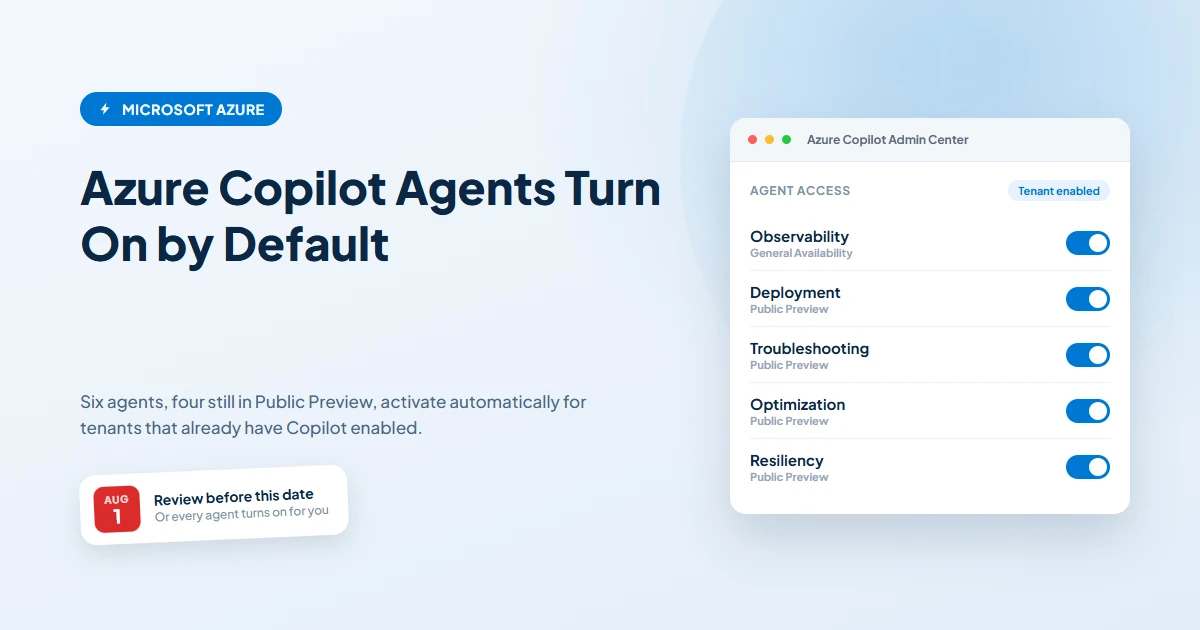
The agent lineup breaks down like this. The Observability Agent has reached General Availability, meaning Microsoft considers it fully supported and ready for production use. Four more agents remain in Public Preview: the Deployment Agent, the Troubleshooting Agent, the Optimization Agent, and the Resiliency Agent. A sixth agent, the Migration Agent, is also in Public Preview. Azure Copilot's core chat experience itself has already been generally available for some time, so this change is really about what happens underneath that chat window, not the chat window itself.
The Deployment, Troubleshooting, Optimization, and Resiliency Agents will be reachable directly from the Azure Copilot chat experience you already use. The Observability Agent and the Migration Agent work a little differently. Instead of living inside Copilot chat, they stay tied to the tools you already use for those jobs, meaning the Observability Agent shows up through Azure Monitor and the Migration Agent shows up through Azure Migrate.
The part that actually needs your attention: default access
Here is the detail that makes this notice worth reading rather than filing away. For any tenant that already has Azure Copilot enabled, every one of these agents, including the ones still in Public Preview, will be turned on by default the moment this change takes effect. Nobody needs to opt in. Nobody needs to request access. If your organization already said yes to Azure Copilot at some point, you are also saying yes to this expanded set of agents unless you take action first.
The good news is that the tenant level Azure Copilot setting remains the master switch. If Azure Copilot is currently disabled for your tenant, none of these agents will turn on either, since they all sit underneath that same control. So the real question for most organizations is not "is this dangerous" but "do we actually want every one of these agents running by default, including the Public Preview ones, without reviewing them first."
What changes for the people managing access
Alongside the new agents, Microsoft is also simplifying how access to them gets administered, and this part is a genuine improvement. Previously, gaining access to an Azure Copilot agent involved a sign up process and tenant allowlisting, essentially asking Microsoft's permission and waiting to be added to a list. Starting August 1, 2026, that entire process goes away. Access will no longer be gated through allowlisting at all.
In its place, Microsoft is introducing an Azure Copilot Admin Center, where administrators can turn individual agents on or off directly, without any sign up step or waiting period. This is a meaningful shift toward giving IT teams direct control instead of routing every access decision through Microsoft first. The tradeoff is that this same ease of access is exactly why the default on behavior matters so much. What used to require a request now requires nothing at all.
Is there a cost to any of this
Microsoft's notice does not mention a new subscription fee tied to these agents themselves, and Azure Copilot's chat capabilities are already generally available as part of existing Azure Copilot access. Where cost does come into play is in what these agents actually do once they are active. The Deployment Agent, for example, can help provision infrastructure, and the Optimization Agent can recommend or make changes to how resources are sized and configured. Any resource that gets deployed, resized, or reconfigured as a result still bills at your normal Azure rates, exactly as it would if a person on your team had made the same change manually. The agent itself is not a new line item on your invoice, but its actions are not free either, since they touch real infrastructure with real costs attached.
This is one more reason a quick review before August 1 is worth doing. An agent that is enabled by default and capable of touching deployment or configuration settings deserves the same scrutiny you would give a new employee with admin access, even if no new bill shows up because of it directly.
What you should actually do before August 1
The decision here really comes down to two paths, and Microsoft's own guidance lays them out clearly.
- If you are comfortable with all Azure Copilot agents being enabled, including the ones still in Public Preview, you genuinely do not need to do anything. This is a reasonable choice for organizations that already trust Azure Copilot broadly and want early access to new capabilities as they roll out.
- If you want to control this yourself, disable Azure Copilot at the tenant level before August 1, 2026. Doing this keeps every one of these agents off, since they all depend on that setting being enabled. Once the change lands and the Azure Copilot Admin Center becomes available, you can review each agent individually and turn on only the ones you actually want your team using, rather than accepting the full default set.
For most small and mid sized organizations we work with, the second path is the more sensible default. It costs nothing to review these agents on your own timeline in the new Admin Center rather than having all of them, including Public Preview features that are still being refined, switched on for you automatically.
What happens if you do not act at all
If your tenant currently has Azure Copilot enabled and you take no action before August 1, 2026, all six agents described above, including the four still in Public Preview and the Migration Agent, will be turned on automatically. Your team will start seeing the Deployment, Troubleshooting, Optimization, and Resiliency Agents available directly inside Azure Copilot chat, and the Observability and Migration Agents will be reachable through Azure Monitor and Azure Migrate respectively. Nothing about this is inherently unsafe, since these are Microsoft built agents working within your existing Azure permissions, not a new attack surface on its own. But it does mean new capabilities, some of them still in preview and subject to change, become available to whoever already has access to Azure Copilot in your organization, without any review on your part.
If Azure Copilot is currently disabled for your tenant, none of this affects you either way. The tenant setting remains the deciding factor, and it will keep everything underneath it off until you choose to turn it on.
How this fits into a broader governance conversation
This notice is a small example of a pattern that keeps showing up across Microsoft's Copilot products. New capabilities tend to arrive enabled by default, on the reasoning that most organizations want the latest tools available as soon as possible. That is a fair assumption for some teams and the wrong one for others, particularly organizations in regulated industries or anyone who wants a clear paper trail of what has access to what before it goes live. The right answer is not to reject every new Copilot capability out of caution, since many of these agents genuinely reduce manual work in Azure administration. The right answer is simply to decide on purpose, rather than by default, especially the deciding factor.
We help clients build exactly this kind of habit around Microsoft's frequent Copilot and Azure changes through our Copilot governance service, and for organizations managing broader Azure environments, our Azure infrastructure and identity work covers the access management side of these decisions directly.
Frequently asked questions
Do I need to do anything before August 1, 2026?
Only if you do not want every Azure Copilot agent turned on automatically. If Azure Copilot is already enabled for your tenant and you are fine with all current and future agents being available, including Public Preview ones, you can leave things as they are. If you want to control this yourself, disable Azure Copilot at the tenant level before August 1, or plan to review individual agents in the Azure Copilot Admin Center once it becomes available.
Is there an extra cost for these agents?
Microsoft has not announced a separate subscription fee for the agents themselves in this notice. Azure Copilot chat is already generally available and included with Azure Copilot access. That said, agents that take real action, such as the Deployment Agent or the Optimization Agent, work with actual Azure resources, so any infrastructure they deploy, resize, or reconfigure still bills at normal Azure rates. The agent is not an added line item, but the resources it touches are.
What happens if I do nothing at all?
If your tenant already has Azure Copilot enabled, every agent listed in this change, including the four still in Public Preview, will be turned on by default starting August 1, 2026. Nobody on your team needs to click anything for that to happen. If Azure Copilot is currently turned off for your tenant, nothing changes, since the tenant level setting still governs everything underneath it.
What is the difference between Public Preview and General Availability here?
General Availability means Microsoft considers the agent fully supported and production ready, which currently applies to the Observability Agent. Public Preview means the agent is functional and available to try, but still being refined, and Microsoft may change its behavior before it reaches General Availability. The Deployment, Troubleshooting, Optimization, and Resiliency Agents are all in Public Preview as of this change, alongside the Migration Agent.
If you received this notice from Microsoft and want a second opinion on whether the default rollout is right for your organization, get in touch and we will walk through your Azure Copilot settings with you before August 1.
 Author: Helio Pereira